CI/CD Pipeline
Cartographer runs directly within your CI/CD pipeline, allowing documentation to be automatically generated or updated whenever new code is merged into your main repository. In this section, we’ll walk through how to set that up
Create an API Key
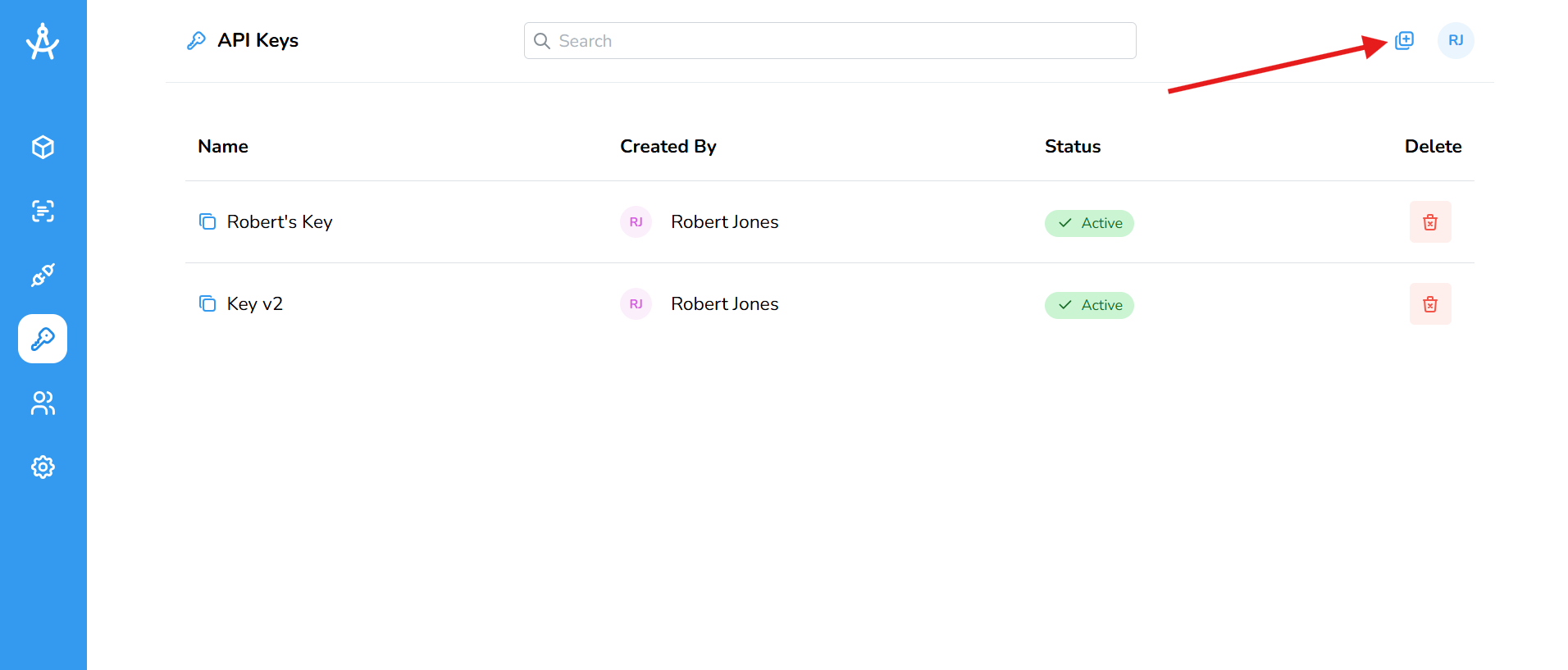
- Go to the API Keys section in the left-hand navigation menu.
- Click the Create New API Key button located in the top-right corner of the page.
- Enter a descriptive name for your new key.
- Once generated, click the copy icon next to the name to securely copy the key to your clipboard.
- Please note: API keys automatically become stale after one year.
Find Your External Space ID
The External Space ID tells Cartographer where to place your generated documentation by linking it to the right internal space. For every repository, you’ll set an External Space ID in the CI/CD pipeline. All documentation created in that repository will be published to that space.
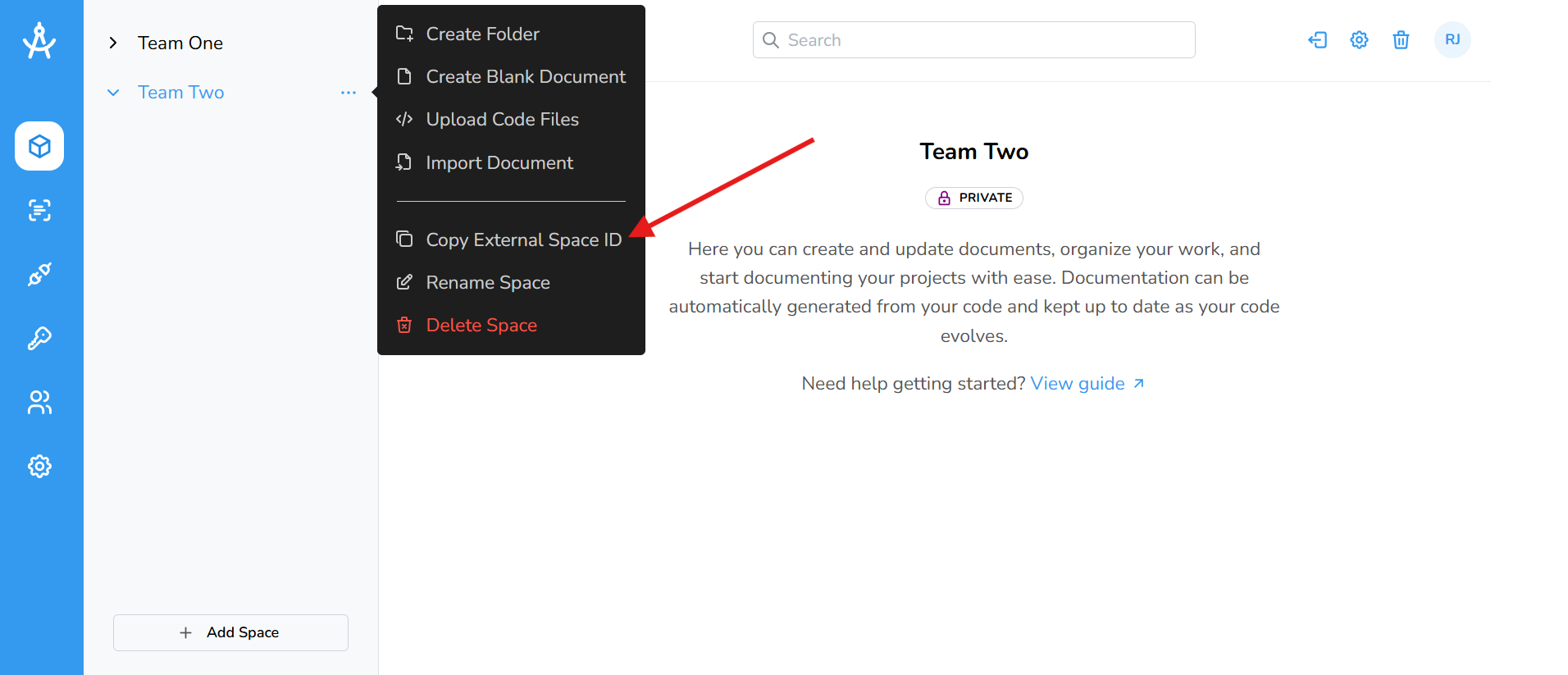
- In the left-hand navigation menu, go to the Spaces section.
- Select the space you want to use.
- Click the ellipsis next to the space name, then choose Copy External Space ID from the menu to copy the ID to your clipboard.
CI/CD Pipeline
Add the code below to your gitlab-ci.yml file for GitLab, or to your .github/workflows folder if you're using GitHub. Make sure to replace API_KEY and SPACE_ID with the values obtained in the previous steps. It is strongly recommended that you use GitLab CI/CD variables or GitHub Actions secrets to securely protect your API key.
GitLab
stages:
- cartographer

cartographer:
  stage: cartographer
  image: node:24
  only:
    - main
  before_script:
    - npm i cartographer-ai
  script:
    - npx cartographer apiKey=${API_KEY}
    - npx cartographer spaceId=${SPACE_ID}
    - npx cartographer dispatch
GitHub
name: Cartographer

on:
  push:
    branches:
      - main

jobs:
  cartographer:
    runs-on: ubuntu-latest

    steps:
      - name: Checkout Repository
        uses: actions/checkout@v4
        with:
          fetch-depth: 0

      - name: Setup
        uses: actions/setup-node@v4
        with:
          node-version: 24

      - name: Install Cartographer
        run: npm i cartographer-ai

      - name: Run Cartographer
        run: |
          npx cartographer apiKey=${{ secrets.API_KEY }}
          npx cartographer spaceId=${{ secrets.SPACE_ID }}
          npx cartographer dispatch
And that’s it! Cartographer will now automatically detect changes in tagged code and generate or update documentation as your code evolves.